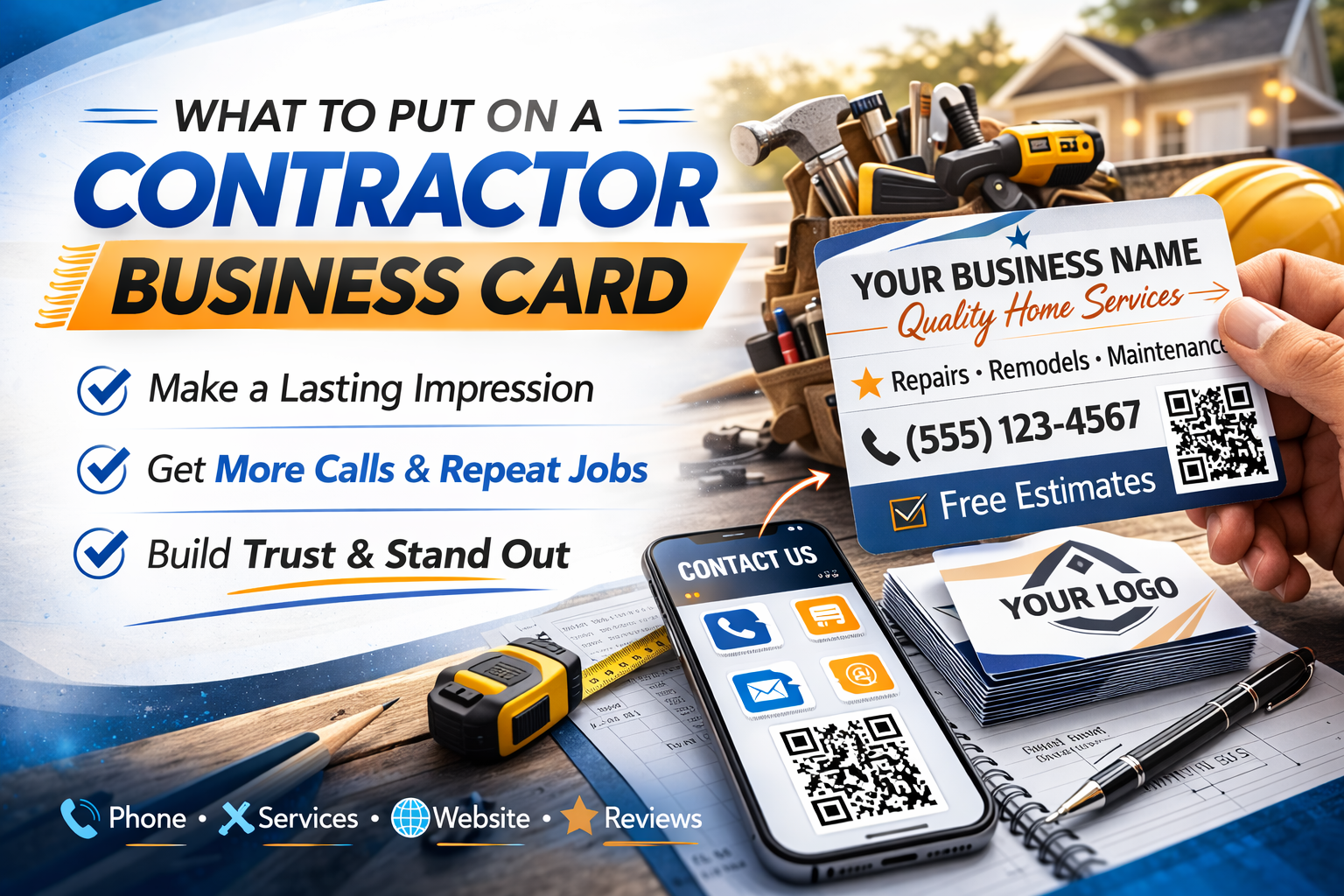
What to Put on Your Contractor Business Card (And Why Most Cards Get Thrown Away)

Most contractor business cards end up in the trash. Here's exactly what to include on yours so customers actually keep it, use it, and share it with their neighbors.

By TradePass | Marketing | 13 min read

You finish a job. The customer is happy. You hand them your business card and say, "Call me anytime you need anything." They take the card, nod, and put it... somewhere. Their pocket. The counter. Next to the stack of mail they haven't opened.

One week later, that card is in a junk drawer, run through the washing machine, or sitting in a pile of 30 other business cards the customer has collected from various service providers over the years. Your card -- with your name, your number, your livelihood printed on it -- is functionally invisible.

This isn't a guess. Research consistently shows that 88% of business cards are thrown away within a week. For contractors, the number might actually be worse because your cards often get handed over on dusty job sites, stuffed into work-dirty pockets, and compete with a dozen other tradespeople's cards in the same drawer.

But some contractor business cards *do* work. Some get kept. Some generate callbacks months later. Some get pulled out when a neighbor asks, "Do you know a good plumber?" The difference between the cards that work and the cards that become landfill isn't luck -- it's what's on them and how they're designed.

Why Most Contractor Business Cards Fail

Before we talk about what to put on your card, let's talk about why most contractor cards fail. Understanding the failure modes helps you design something that actually works.

Failure #1: Too Much Information

The most common mistake. Contractors cram their card with every possible piece of information: full name, business name, three phone numbers, email, website, fax number (really), full street address, license number, insurance info, a list of 12 services, and a tagline. The result is a card that's impossible to read and impossible to remember.

A business card has roughly 3.5 square inches of usable space per side. That's not much. Everything on the card needs to earn its space by answering one question: does this help the customer contact me or decide to hire me?

Failure #2: No Clear Identity

Customer pulls your card out of the drawer three months later. It says "Mike Johnson" and a phone number. That's it. They don't remember who you are, what trade you're in, or what you did for them. Your card just became indistinguishable from the 15 other "Mike" cards in the drawer.

Your card needs to answer the question "who is this and what do they do?" at a glance, even months after the customer received it.

Failure #3: No Reason to Keep It

A paper business card is a physical object. Physical objects need to be stored somewhere. If the customer doesn't have an immediate need for your services, your card competes against the natural human tendency to declutter. And declutter always wins.

The cards that survive are the ones that give customers a reason to keep them -- or better yet, transition the contact info to somewhere permanent (like their phone) before the paper card gets lost.

Failure #4: Not Shareable

When a neighbor asks your customer for a contractor recommendation, what happens with a paper card? Best case: the customer finds the card, reads your number out loud, and the neighbor writes it down on a napkin. Worst case (and most common): the customer can't find the card and the referral dies.

A business card that can't be easily shared is a business card that only works once -- for the person you handed it to. The best cards multiply, because each one enables referrals. And with referral partner tracking, you can actually see which customers are sharing your card and sending you new business — turning an invisible process into something you can measure and build on.

The 8 Things Every Contractor Business Card Needs

After looking at what works and what doesn't, here are the eight elements that separate business cards that generate callbacks from business cards that generate landfill. Not all of these will fit on a single paper card -- which is part of the point we'll get to later.

1. Your Full Name (Not Just Your Business Name)

Customers hire people, not companies. Especially in the trades, where trust and personal relationships drive everything. "Mike Reynolds" is memorable. "Reynolds Plumbing LLC" is not. If you have a business name, include it -- but your personal name should be prominent.

When someone asks your customer for a recommendation, they'll say "I used this guy Mike" -- not "I used Reynolds Plumbing LLC." Your card should match how people naturally talk about you.

2. Your Trade or Specialty

This sounds obvious, but a surprising number of contractor cards say something vague like "Home Services" or "General Contracting" or just list a business name that doesn't clearly identify the trade. Three months from now, when the customer pulls your card out, they need to immediately know: this is a plumber. This is an electrician. This is a handyman.

Be specific. "Licensed Plumber" is better than "Plumbing Services." "Master Electrician" is better than "Electrical Contractor." "General Handyman -- Repairs & Installations" is better than "Home Improvement."

3. One Phone Number

Not two. Not three. One. The number you actually answer. Multiple phone numbers create decision fatigue and confusion. Should they call the office line? The cell? The "after hours" number? Pick the number where you're most responsive and make it the only one on the card.

Make the number large and easy to read. This is the single most important piece of functional information on your card. Don't make customers squint.

4. Your Service Area

Skip the street address (unless you have a shop customers visit). Instead, list your service area: "Serving Dallas-Fort Worth" or "North Atlanta Metro" or "Portland & Surrounding Areas." This tells the customer the one thing they actually need to know -- whether you work where they live.

A street address wastes valuable card space, doesn't help the customer, and can create security or privacy concerns for home-based businesses.

5. A License or Credential Number

If your trade requires licensing, put the number on your card. This single addition does more for credibility than any tagline, logo, or design element. "TX License #48210" immediately communicates that you're legitimate, vetted, and professional.

Even if the customer never looks up the number, its presence signals professionalism. It separates you from the unlicensed operators and handymen working out of their trunks. In many states, displaying your license number on your marketing materials is actually required by law.

6. A Professional Photo or Recognizable Logo

This is the element most contractors skip -- and it's one of the most powerful. A small professional headshot (or a clean, recognizable logo) serves two critical functions:

First, it makes your card instantly recognizable. When a customer sifts through a stack of cards, the one with a face on it gets noticed. Humans are wired to respond to faces faster than to text.

Second, it builds trust. In the trades, customers are inviting a stranger into their home. A face on the card makes you a person, not just a name and number. It's the difference between calling a stranger and calling someone you feel like you've already met.

7. A QR Code (The Bridge Between Paper and Phone)

This is the single most impactful addition you can make to a paper business card in 2026. A QR code that links to your digital business card turns a 7-day physical asset into a permanent digital one.

When the customer scans the QR code with their phone camera (no app needed), they land on your digital card page where they can save your complete contact info to their phone, see your full list of services, view your credentials, and even request a quote. Your paper card just became a portal to something permanent.

The QR code doesn't replace your contact info on the card -- it supplements it. The card still works on its own if someone never scans the code. But for the customers who do scan it, you've just converted a throwaway piece of paper into a saved phone contact.

8. A Clear Call to Action

Most business cards don't tell the customer what to do next. They just present information and hope the customer figures it out. The best cards include a simple, clear call to action:

A call to action converts a passive artifact ("here's my card") into an active prompt ("here's what to do with it"). It sounds small, but it meaningfully increases the percentage of customers who actually save your info or reach out.

What to Leave Off Your Card

Just as important as what goes on the card is what you leave off. Every unnecessary element makes the important stuff harder to find and the card harder to read. Here's what to cut:

Your Full Street Address

Unless you have a shop or storefront, a street address is wasted space. Customers don't come to you -- you go to them. Replace it with your service area.

A Fax Number

It's 2026. If you have a fax number on your card, remove it. Even if you still use fax for certain transactions, it doesn't belong on a customer-facing business card.

Multiple Phone Numbers

One number. The one you answer. If you have a business line and a cell, pick the one where you're most responsive. Having both creates friction -- the customer has to decide which to call, and that moment of indecision can be the difference between a call and a "I'll call later" that never happens.

A Long List of Services

"Plumbing, drain cleaning, water heater installation, sewer repair, faucet replacement, toilet repair, pipe fitting, bathroom remodels, kitchen plumbing..." This doesn't help. It clutters the card and nobody reads it. Instead, use a broad descriptor: "Licensed Plumber -- Residential & Commercial" or "Full-Service Electrical." Save the detailed service list for your digital card or website.

Generic Taglines

"Quality work at affordable prices." "Your satisfaction is our guarantee." "No job too big or too small." These phrases appear on roughly 10,000 contractor business cards in every metro area. They don't differentiate you, they don't communicate anything specific, and they take up space that could be used for something useful. If you use a tagline, make it specific to you.

Design Principles That Actually Matter

You don't need a graphic designer to create an effective contractor business card. But you do need to follow a few principles that separate professional-looking cards from amateur ones.

Readability Over Creativity

The purpose of your card is to communicate information. If someone can't read your phone number at arm's length, the card has failed. Use a clean, simple font (not script, not decorative, not all-caps). Make your name and phone number the two largest elements. Leave enough white space that the card doesn't feel crowded.

Dark Text on Light Backgrounds

It's tempting to do a dark card with light text -- it looks dramatic. But light text on dark backgrounds is harder to read, especially in low light or for older customers (who are a significant portion of homeowners hiring contractors). The most readable combination is dark text on a white or light background. If you want a colored card, keep the text areas clean and high-contrast.

Thick Card Stock

This is one area where spending a little more pays off. A thick, quality card (16pt or thicker) feels professional and is more likely to be kept. Thin, flimsy cards feel cheap and are easier to bend, damage, and discard. Consider a matte or soft-touch laminate -- it looks and feels premium without being flashy.

Both Sides of the Card

Use both sides. One side for your core info (name, trade, phone, service area, license). The other for your QR code, a call to action ("Scan to save my contact to your phone"), and any secondary info like your email or a short list of specialties. This doubles your usable space and keeps each side clean and uncluttered.

The Paper Card's Dirty Secret

Here's the uncomfortable truth about paper business cards that nobody in the printing industry wants to talk about: even a perfectly designed paper card is a fundamentally flawed tool for how modern contractor businesses actually work.

Think about the customer journey after you hand them a card:

  1. They take the card and put it somewhere (pocket, counter, wallet)
  2. They might look at it once, maybe twice, in the first 24 hours
  3. The card migrates to a drawer, stack, or gets left somewhere and forgotten
  4. Three months later, they need you again or want to refer you
  5. They can't find the card. They search Google instead. You've been replaced by whoever shows up first in the ads.

This is the lifecycle of 88% of business cards. And for the 12% that do survive, they still have a fundamental limitation: they can't be shared. When your customer's neighbor asks for a plumber recommendation, the customer can't hand over the card they're keeping. They can read the number out loud (which the neighbor then has to type in manually), or they can say "I'll text you his number later" -- which happens about 30% of the time.

A paper card is a single-use, non-shareable, degradable tool in a world where your business depends on repeat contact and referrals. It's like using a disposable camera in the age of smartphones -- it works, technically, but it's ignoring the better tool that already exists.

The Best Business Card Is the One They Can't Lose

This is where the conversation shifts from "what to put on your paper card" to "what actually solves the problem your paper card is trying to solve."

The real purpose of a business card isn't to look professional (though that helps). The real purpose is to make sure customers can find you again and share your info with others. A paper card tries to do this but fails for most people within a week.

A digital business card succeeds because it lives where people actually store contact information: in their phone. When your contact info is saved to a customer's phone -- with your name, trade, photo, phone number, and all your details -- you can't be lost. You can't be thrown away. You can't be left in a junk drawer. You're there, in their contacts, whenever they need you.

And when someone asks them for a recommendation? They pull up your contact, tap share, and send your entire professional profile -- name, photo, trade, phone, services, and a quote request link -- in 10 seconds. No reading numbers out loud. No "I'll text you his info later." Instant, complete referral.

The Best of Both Worlds: Paper + Digital

You don't have to choose between paper and digital. The smartest approach is to use both -- with the paper card serving as a gateway to the digital one.

Here's the strategy that the most referral-rich contractors use:

The Paper Card

Keep a supply of clean, professional paper cards. Include the 8 essentials we covered above, with a QR code prominently displayed on the back. The paper card does the physical-world work: it's something tangible to hand over at the end of a job, leave on a counter, or pin to a community board.

The Digital Card

Set up a digital business card (like TradePass) that the QR code links to. This is the permanent version of your card -- it lives online with its own URL, includes everything from your paper card plus photos, services, credentials, and a quote request form. When customers scan the QR code, they land on this page and can save your full contact info to their phone with one tap.

The Text Follow-Up

After every job, text the customer your digital card link: "Here's my card -- save it to your phone for whenever you need anything." This catches the customers who took your paper card but never scanned the QR code. It also works for jobs where you didn't have a paper card handy.

This three-part approach covers all the bases: the paper card makes a good first impression, the digital card makes the contact permanent, and the text follow-up catches anyone who might have missed both.

A Template for the Perfect Contractor Business Card

If you're designing or redesigning your business card, here's exactly how to lay it out for maximum effectiveness:

Front of Card

Back of Card

Notice what's not on this card: no street address, no fax number, no email (it's on the digital card), no list of 12 services, no generic tagline. Every element serves a specific purpose and earns its space.

The Numbers: Paper Cards vs. Digital Cards

Let's compare the actual performance of paper-only business cards versus the paper-plus-digital approach:

Paper Cards Only

Paper Card + Digital Card

The difference isn't marginal. A contact saved in someone's phone is fundamentally different from a card in their drawer. One is permanent and searchable. The other is temporary and losable. For a business built on repeat work and referrals, this distinction is everything.

When to Hand Out Your Card (Timing Matters)

The timing of when you give someone your card matters more than most contractors realize. Here are the moments that generate the highest save-and-callback rates:

Right After Completing the Job

This is the golden moment. The customer just saw the results of your work. They're satisfied. They're grateful. This is when you hand over your card and say, "Here's my card -- save my number for whenever you need anything. And it's easy to share if anyone you know needs work done." The customer is most receptive to saving your info right after experiencing the value you provide.

During the Initial Estimate Visit

Even if they don't hire you on the spot, leaving a card at the estimate stage puts you in the running. Include a note like "Call or text anytime with questions." This keeps the door open and gives the customer something to compare against other bids.

At Community Events or Networking

Home shows, HOA meetings, local business events, even casual conversations at the hardware store. These are opportunities where a physical card still shines -- it's a tangible thing to hand over in a casual setting. The QR code on the back gives the person a way to save your info later.

Left Behind for the Household

If you do work when the homeowner isn't present (property managers, vacation homes, tenants), leave your card in a visible spot with a brief note. "Work completed -- here's my card for any questions or future needs." This is one of the highest-leverage uses of a paper card because there's no personal handoff, so the card has to do all the work on its own.

What the Best Contractors Do After Handing Out the Card

The card handoff isn't the end of the interaction -- it's the beginning. The contractors who get the most callbacks and referrals don't just hand over a card and hope for the best. They follow a simple routine:

  1. Hand the customer a physical card at the end of the job
  2. Within an hour, text them your digital card link: 'Hey, here's my digital card -- tap to save my info to your phone. Thanks again for the business!'
  3. The text serves double duty: it gets your digital contact into their phone AND gives them an easy link to share when someone asks for a recommendation
  4. The customer now has two ways to find you: the paper card (short-term) and the saved phone contact (permanent)

This takes 30 seconds and transforms a one-time card handoff into a permanent presence in the customer's phone. Over time, referral partner tracking reveals which of those customers became your best referral sources — giving you insight into where your business is actually growing. It's the single highest-ROI activity in contractor marketing.

Stop Printing Money for the Recycling Bin

Every business card you print costs money. Printing 500 cards at $60 doesn't seem like much -- until you realize that 440 of those cards will be thrown away, lost, or destroyed within a week. You're literally printing money for the recycling bin.

A paper business card is still a useful tool. But only if it's designed to do one thing: bridge the customer to a permanent digital contact. The QR code, the follow-up text, the digital card -- those are the elements that make the paper card worth printing.

Design your card with the 8 essentials. Keep it clean and readable. Use both sides. Include a QR code that links to your digital business card. And follow up every handoff with a text that gets your contact saved permanently.

The best business card isn't the one with the fanciest design or the thickest paper. It's the one that gets you into the customer's phone. Because a phone contact can't be lost in a junk drawer, can't go through the washing machine, and can be shared with a neighbor in 10 seconds.

That's what a business card is supposed to do. Not sit in a drawer. Not impress people with your logo. Get you remembered, get you found, and get you shared.

Frequently Asked Questions

What information should a contractor put on a business card?

At minimum, include your full name, trade or specialty, phone number, and service area. The most effective contractor cards also include your license number, a professional photo or logo, and a way for customers to save your contact info digitally (like a QR code or link to a digital business card). Avoid cluttering the card with information the customer doesn't need at the moment of decision.

Should I put my address on my contractor business card?

Generally no, unless you have a storefront customers visit. Most contractors work on-site at the customer's location, so a street address wastes valuable card space and can create security concerns. Instead, list your service area (e.g., 'Serving Dallas-Fort Worth') which tells the customer what they actually need to know: whether you work in their area.

What size should a contractor business card be?

The standard business card size is 3.5 x 2 inches (89 x 51 mm). Stick with this size -- oversized or unusually shaped cards don't fit in wallets, card holders, or phone cases, which means they're more likely to be discarded. The card's value comes from what's on it, not its dimensions.

Should contractors use a QR code on their business card?

Yes. A QR code that links to a digital business card (like TradePass) is one of the most effective additions you can make. When scanned, it lets the customer save your complete contact info to their phone, view your services, and request a quote -- all from their camera app. It bridges the gap between a physical card that gets lost and a digital contact that stays in their phone permanently.

How many business cards should a contractor order?

If using traditional paper cards, 500 is a common starting order. But consider this: 88% of paper business cards are discarded within a week. A smarter approach is ordering a smaller batch of high-quality paper cards (250) that include a QR code linking to your digital business card. This way the paper card is a gateway to permanent contact info, not the final product.

What makes a contractor business card stand out?

The cards that generate the most callbacks aren't the flashiest -- they're the most useful. A clean design with clear contact info, your trade specialty, a license number for credibility, and a QR code or link to save your digital contact will outperform a card with fancy graphics every time. The goal isn't to impress -- it's to make it easy for the customer to contact you and share your info.

Back to all articles

TradePass - Digital Business Cards for Contractors