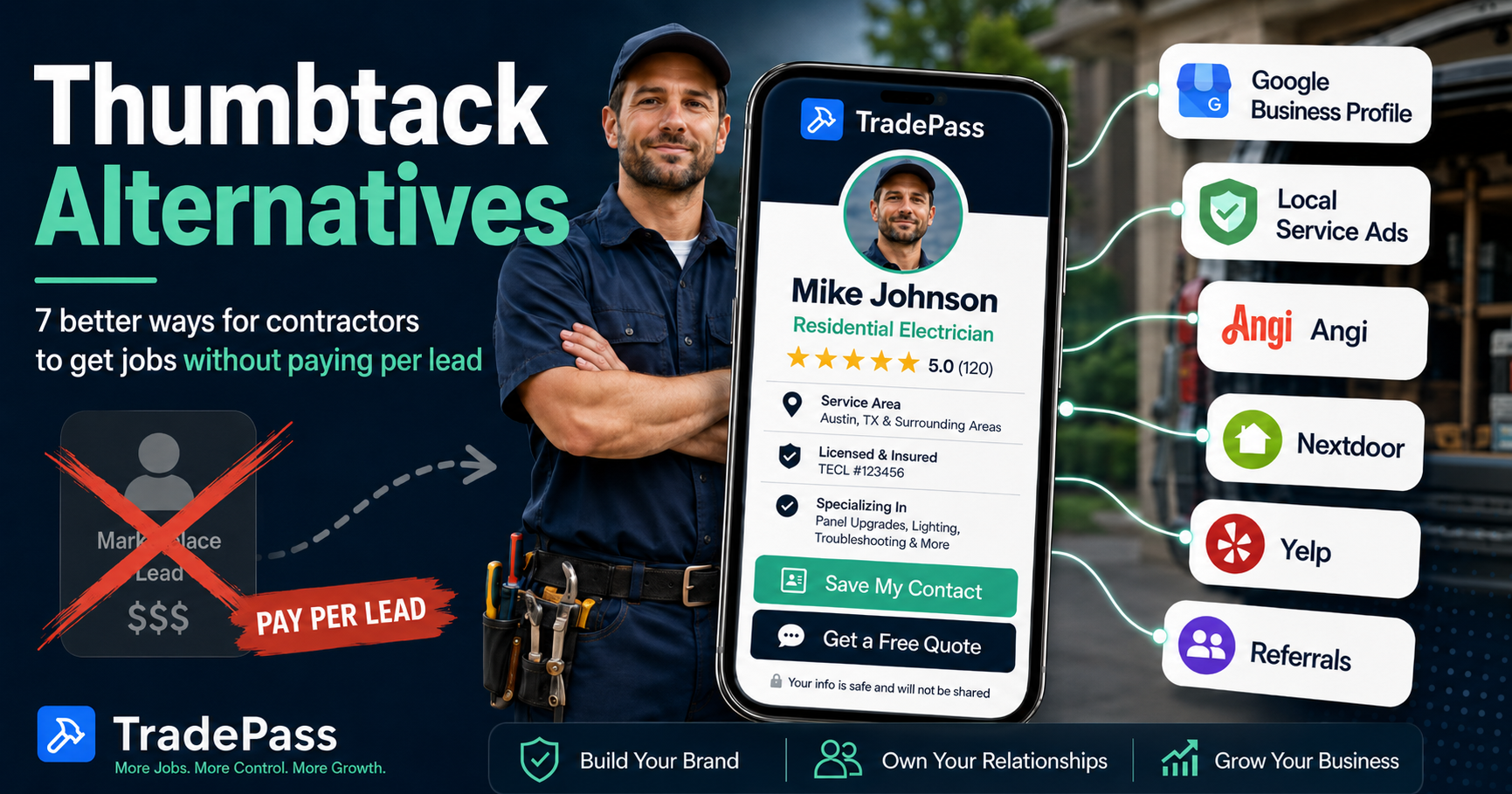
Thumbtack connects contractors with customers through a pay-per-lead marketplace. It works for some contractors and not for others. If you are evaluating alternatives — whether because of cost, lead quality, or competition — the options fall into three categories: paid lead platforms (Google Local Services Ads, Angi), free or low-cost discovery channels (Google Business Profile, Nextdoor, Yelp), and tools for capturing referrals and direct inquiries (word of mouth systems, TradePass).
The right choice depends on your situation. A contractor who needs new customers in a new market has different needs than one with a full referral network who wants to stop paying for leads. Most established contractors use a combination.
Disclosure: TradePass publishes this guide. We have included TradePass in the comparison and described its role accurately — it captures and manages inquiries from people who already know about you, not a marketplace that supplies new leads. We have not conducted independent testing of the other platforms listed; the information below is based on each platform's published documentation and publicly available details.
Quick Comparison
Here is every option at a glance, with Thumbtack as the baseline. Detailed reviews follow.
| Option | Channel type | Cost model | Best fit | Main limitation |
|---|---|---|---|---|
| Thumbtackbaseline | Marketplace | Pay per lead (varies by trade and market) | Contractors needing immediate new-customer volume | Shared leads; you compete with other pros for each job |
| Google Business Profile | Free listing | Free | Every contractor (foundation for local search visibility) | Requires ongoing review collection and profile maintenance |
| Google Local Services Ads | Paid advertising | Pay per lead (calls, messages, or bookings) | Licensed trades in eligible categories | Requires background check and verification; not available for all trades |
| Angi | Marketplace | Pay per lead and/or pre-priced services | Renovation and home improvement contractors | Shared leads; business model in transition |
| Nextdoor | Neighborhood recommendations | Free page; optional paid ads | Contractors with existing local reputation | Reach limited to nearby neighborhoods; slow to build |
| Yelp | Review platform + advertising | Free listing; optional paid advertising | Service-area businesses where reviews drive decisions | Aggressive ad upsell; review filtering frustrates some businesses |
| Word of mouth + referral systems | Referral | Free (or referral fee to partners) | Established contractors with a customer base | Unpredictable volume; hard to scale without a system |
| TradePass | Digital card + lead capture | Free card; $79/yr or $179 lifetime for full tools | Contractors capturing referrals and direct inquiries | Does not generate marketplace leads; you bring your own visitors |
- Cost
- Pay per lead (varies by trade and market)
- Best fit
- Contractors needing immediate new-customer volume
- Limitation
- Shared leads; you compete with other pros for each job
- Cost
- Free
- Best fit
- Every contractor (foundation for local search visibility)
- Limitation
- Requires ongoing review collection and profile maintenance
- Cost
- Pay per lead (calls, messages, or bookings)
- Best fit
- Licensed trades in eligible categories
- Limitation
- Requires background check and verification; not available for all trades
- Cost
- Pay per lead and/or pre-priced services
- Best fit
- Renovation and home improvement contractors
- Limitation
- Shared leads; business model in transition
- Cost
- Free page; optional paid ads
- Best fit
- Contractors with existing local reputation
- Limitation
- Reach limited to nearby neighborhoods; slow to build
- Cost
- Free listing; optional paid advertising
- Best fit
- Service-area businesses where reviews drive decisions
- Limitation
- Aggressive ad upsell; review filtering frustrates some businesses
- Cost
- Free (or referral fee to partners)
- Best fit
- Established contractors with a customer base
- Limitation
- Unpredictable volume; hard to scale without a system
- Cost
- Free card; $79/yr or $179 lifetime for full tools
- Best fit
- Contractors capturing referrals and direct inquiries
- Limitation
- Does not generate marketplace leads; you bring your own visitors
1. Google Business Profile
How customers find you: They search Google or Google Maps for a service in their area ('plumber near me,' 'electrician Austin TX'). Your Business Profile appears in local search results and map packs with your phone number, hours, reviews, and a link to your website.
Cost model: Free. No charge to create or maintain the profile.
Best fit: Every contractor should have one. It is the foundation for local search visibility and works alongside every other channel on this list.
Main limitation: Creating a profile does not guarantee visibility. Ranking in local search results depends on relevance, distance, and prominence — which includes review count, review quality, and how complete and active your profile is. In competitive markets, it can take months of consistent review collection and profile activity to appear for high-intent searches.
Contact methods currently available: phone calls, website link, and directions. Google removed the messaging/chat feature from Business Profiles in 2024.
First step: Claim or create your profile at business.google.com. Fill in every field — trade category, service area, hours, photos of your work. Then start asking satisfied customers to leave reviews. For more on building local search visibility, see our guide for home services businesses.
2. Google Local Services Ads
How customers find you: Your ad appears at the top of Google search results — above regular ads and organic listings — when someone searches for your service in your area. Customers can call, message, or in some categories book directly from the ad.
Cost model: Pay per lead. You are charged when a customer contacts you through the ad (via call, message, or booking request). Lead costs vary by trade, market, and competition. You can dispute leads you believe are invalid (spam, wrong service area, wrong category) through the dashboard, and Google may issue a lead credit.
Badge and verification: Home services trades receive a Google Guaranteed badge, which includes a money-back guarantee for customers (up to the job invoice amount, with a lifetime cap). Professional services receive a Google Screened badge. To qualify, you must pass background checks, license verification, and insurance verification. Requirements vary by trade and location.
Best fit: Licensed trades in eligible categories who want to appear at the top of Google for high-intent searches. Particularly effective for trades where trust and verification matter to customers (plumbing, electrical, HVAC, locksmith).
Main limitation: Not available for all trade categories or all markets. Requires passing Google's screening process, which can take several weeks. Lead costs are not fixed — they fluctuate with competition.
First step: Check eligibility at ads.google.com/local-services-ads. You will need your license information, proof of insurance, and to consent to background checks.
3. Angi
How customers find you: Customers search Angi's platform for a service and are matched with contractors. Angi is the combined platform resulting from the merger of Angi's List and HomeAdvisor, both owned by Angi Inc.
Cost model: Angi has been transitioning its business model. It historically operated on pay-per-lead pricing inherited from HomeAdvisor, and has been adding pre-priced services where customers book and pay through the platform. The specifics — including lead costs, subscription requirements, and how leads are shared — depend on your category and market. Check angi.com/pro for current terms, as this has been changing.
Best fit: Contractors focused on renovation and home improvement projects, where Angi has a large customer base.
Main limitation: Like Thumbtack, leads are typically shared with multiple contractors. The platform's business model is in active transition, which means the terms you sign up under may change. Read current contract terms carefully before committing to any spend commitment.
First step: Visit angi.com/pro and review the current offering for your trade and market before signing up.
4. Nextdoor
How customers find you: Neighbors recommend you in their local Nextdoor feed, and your business page shows up when residents search for services. Nextdoor is organized by neighborhood, so recommendations carry social proof from people nearby.
Cost model: Free business page. You can be recommended by neighbors and post a limited number of business posts per month at no cost. Paid options include Local Deals (targeted offers to nearby neighborhoods) and self-serve ads with auction-based pricing.
Best fit: Contractors who already have a local reputation and want to amplify word of mouth digitally. Particularly good for handymen, landscapers, and other trades where neighbors frequently ask each other for recommendations.
Main limitation: Reach is limited to nearby neighborhoods. Building recommendations takes time and depends on existing customers being active Nextdoor users. Paid advertising reach is smaller than Google or Meta.
First step: Claim your business page at business.nextdoor.com. Ask a few happy customers who use Nextdoor to recommend you.
5. Yelp
How customers find you: Customers search Yelp for local services and find your business listing with reviews, photos, and contact information. Yelp also surfaces in Google search results for many service queries.
Cost model: Free business listing. Optional paid advertising (Yelp Ads) puts your listing in front of more searchers, with costs varying by market and category. Yelp's sales team is known for aggressive outreach to business owners.
Best fit: Service-area businesses in markets where customers actively use Yelp to find contractors. Effectiveness varies significantly by city — Yelp is much more relevant in some metro areas than others.
Main limitation: Yelp's review filtering algorithm is opaque and sometimes removes legitimate positive reviews, which frustrates business owners. The platform's advertising upsell can feel aggressive. In some markets, Yelp generates very little contractor traffic.
First step: Claim your free listing at biz.yelp.com. Add photos, accurate service descriptions, and respond to reviews. Do not pay for advertising until you have confirmed that Yelp generates meaningful traffic in your market.
6. Word of Mouth and Referral Systems
How customers find you: Existing customers, other contractors, real estate agents, property managers, and other referral sources recommend you to people they know.
Cost model: Free in the simplest form. Some contractors pay referral fees to partners (other trades, property managers) or offer incentives to past customers. The main cost is the time and consistency required to ask for referrals and maintain those relationships.
Best fit: Established contractors with a customer base and professional relationships. Referral inquiries typically close at higher rates than marketplace leads because the customer already has a recommendation. But 'higher rate' does not mean guaranteed — the customer may still get multiple quotes.
Main limitation: Volume is unpredictable without a consistent system. Many contractors rely on word of mouth passively (waiting for referrals to come in) rather than actively (asking for them, making it easy to share contact info, tracking who refers whom). Passive referrals are hard to scale. For ideas on building a more active system, see our referral guide for trade businesses.
First step: Start by asking your last five satisfied customers if they know anyone who needs similar work. Make it easy — text them a link to your contact page or digital profile that they can forward.
7. TradePass — Best for Capturing Referrals and Direct Inquiries
How customers find you: They do not find you through TradePass. TradePass is not a marketplace — it does not supply leads from a pool of homeowners looking for contractors. Instead, it gives you a professional digital profile that you share with people who already know about you: customers from job sites, referral partners, people who see your truck or yard sign, and anyone who scans your QR code or taps your NFC card.
What happens when they visit your profile: They see your contact info, services, work gallery, and reviews. They can save your contact to their phone with one tap, call you directly, or fill out a quote request form with their name, phone, email, and job description. You get a notification when someone submits a quote request.
Cost model: The digital card is free to create — no credit card required. Your profile page goes live and you can share the link or QR code immediately. Paid plans unlock the full toolset:
- Annual plan: $79/year (includes 7-day free trial). NFC tap card included; $7.99 shipping.
- Lifetime plan: $179 one-time. NFC tap card included with free shipping. All current and future features, no recurring fees.
Paid features include analytics (who viewed your card), lead notifications, referral partner tracking, NFC tap card, downloadable QR code, printable business cards, and email signature generator. See the full breakdown at tradepassapp.com/pricing.
Best fit: Contractors who get work through referrals, repeat customers, and their own marketing — and want a better way to make their contact info shareable, capture quote requests, and track where inquiries come from. TradePass works alongside Thumbtack, Google, or any other channel — it is the destination your marketing points to, not the marketing itself.
Main limitation: TradePass does not generate marketplace leads. If no one visits your profile, you will not receive quote requests. You need to bring your own visibility — through referrals, job-site handoffs, vehicle signage, Google Business Profile, or other channels.
A note on using TradePass alongside Thumbtack: If you are on Thumbtack and want to share your TradePass profile with a Thumbtack customer, be aware that Thumbtack's policies govern what you can share within their platform. Review Thumbtack's current terms before sharing external links or contact information through their messaging system, as doing so may affect your account or lead credit eligibility.
Create My Card — Live in 5 Minutes
A digital business card built for the trades. Customers save your info to their phone, request quotes, and share you with friends. No website needed.
Compare Cost per Booked Job — Not Just Cost per Lead
The headline cost of a lead does not tell you what it actually costs to book a job. What matters is marketing spend divided by booked jobs attributable to that spend — your cost per booked job.
Here is a hypothetical example to illustrate the math:
Example (hypothetical — not platform benchmarks)
Channel A: $300 spent, 15 inquiries, 3 booked jobs = $100 per booked job. Channel B: $240 spent, 8 inquiries, 4 booked jobs = $60 per booked job. Channel B costs less per lead AND converts better — but you would not know that without tracking both numbers.
These numbers are illustrative, not benchmarks for any specific platform. Your actual results depend on your trade, market, pricing, and how quickly you respond to inquiries.
A few things the cost-per-lead number misses:
- Job value matters. A $200 lead that books a $15,000 kitchen remodel is very different from a $20 lead that books a $150 faucet repair.
- Repeat work changes the math. A customer from any channel who calls you back for three more jobs over two years cost you one lead fee and generated four jobs.
- Free channels still cost time. A 'free' Google Business Profile requires time to maintain, collect reviews, and respond to inquiries. That time has a cost, even if it is not a line item.
- Response speed matters more than source. A lead from any channel is worth less if you take three hours to respond than if you respond in 15 minutes.
Simple tracking checklist
To compare channels, track these for each source over at least 60-90 days:
- 1Source — where the inquiry came from (Thumbtack, Google, referral, etc.)
- 2Spend — what you paid that channel during the period
- 3Inquiries — total contacts or leads received
- 4Quotes sent — how many you actually quoted
- 5Booked jobs — how many you won
- 6Revenue — total revenue from those booked jobs
This does not need to be complicated. A spreadsheet or a note on each invoice works. The goal is to know which channels are worth your money and time — not to build a marketing dashboard.
A Realistic Action Plan
You do not need to quit Thumbtack to try alternatives. Most contractors do better by adding channels gradually and shifting budget based on what works. Here is a practical sequence:
- 1Set up your Google Business Profile if you have not already. It is free, it is the foundation for local visibility, and every other channel benefits from a complete profile with reviews.
- 2Create a clear contact destination. Whether that is a website, a TradePass profile, or a Google Business Profile — have one place you can send people that shows your work, services, and a way to contact you. This is where your QR code, truck signage, and referral links should point. For more on this, see our piece on whether contractors need a website.
- 3Build a consistent review and referral request process. After every completed job, ask for a Google review and ask if they know anyone who needs similar work. This compounds over time. For practical templates, see our customer follow-up guide.
- 4Test one paid discovery channel when you need more volume. Google Local Services Ads are a strong starting point for licensed trades. Set a weekly budget you can afford to lose while you learn whether the leads convert for your trade and market.
- 5Track results before shifting budget. Run any new channel for at least 60-90 days before deciding whether it works. Use the tracking checklist above to compare cost per booked job, not cost per lead.
- 6Keep what works. If Thumbtack is profitable for you — if your cost per booked job is acceptable and the job values are worth it — there is no reason to stop. Add channels that give you alternatives, but do not abandon a working channel out of principle.