You handed out hundreds of business cards last year... Take a guess how many are still in someone's possession right now.
If you guessed fewer than 50, you're being optimistic. Research consistently showed that 88% of business cards are discarded within one week. For contractors, the number is probably worse — your cards endure job sites, tool belts, truck dashes baking in the sun, and the occasional trip through the washing machine.
Meanwhile, some contractors are getting 3x more repeat business from past customers and their referral rates have doubled. They didn't hire a marketing agency. They didn't start running ads. They switched from paper rectangles to digital business cards.
This is the complete guide to digital business cards for contractors and tradespeople. No fluff, no jargon, no sales pitch — just everything you need to understand what they are, how they work, whether they're worth it, and how to set one up in minutes.
What Exactly Is a Digital Business Card?
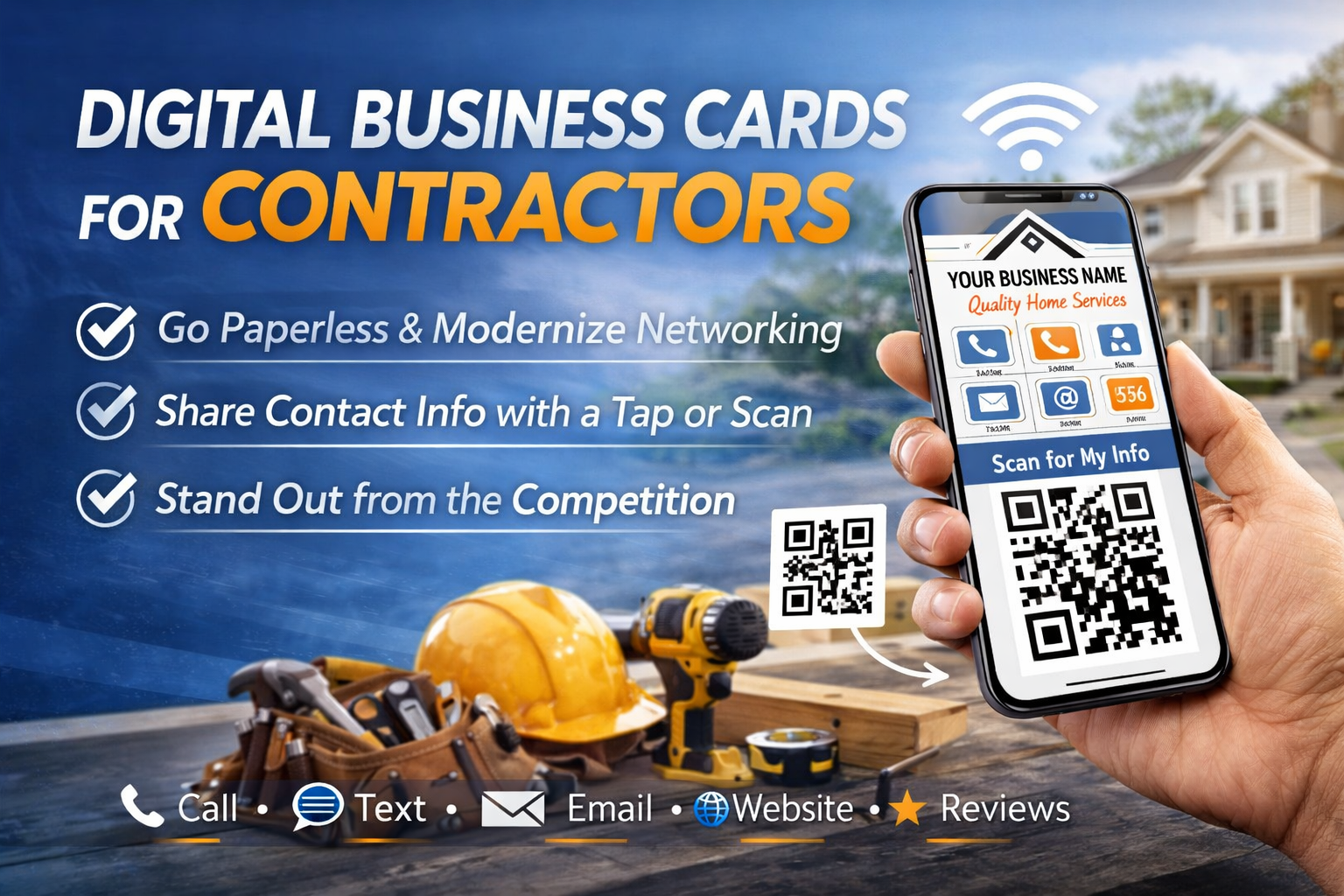
A digital business card is a mobile-optimized web page that acts as your professional identity. It contains your name, trade, phone number, email, services, service area, and a button that saves all of that directly into the customer's phone contacts with a single tap.
Think of it as a living, breathing version of your paper card — except it can't be lost, never needs reprinting, and can be shared with anyone in 10 seconds via text message.
When someone visits your digital card (by clicking a link, scanning a QR code, or tapping an NFC tag), they see a clean, professional page with everything they need to hire you or refer you. One tap, and your full contact info is saved permanently in their phone.
Key difference
A paper business card asks the customer to manually type your number into their phone (which almost nobody does). A digital business card does it for them in one tap. That single difference changes everything about how often customers call you back and refer you.
Why Contractors Specifically Need Digital Cards
Digital business cards aren't just for tech companies and corporate salespeople. Contractors actually benefit more from digital cards than almost any other profession. Here's why:
Your Customers Need You Again (They Just Can't Find You)
Unlike a restaurant or retail store, contractors provide services people need repeatedly but infrequently. A homeowner might need a plumber twice a year, an electrician every few years, a handyman quarterly. The gap between jobs is long enough that your paper card gets lost, your number gets deleted when they switch phones, and your name fades from memory.
A saved phone contact survives phone upgrades, carrier switches, and the passage of time. Two years after the job, when their water heater fails at 10pm, your name and number are right there in their contacts.
Referrals Are Your Lifeblood — And Paper Cards Kill Them
Most contractors get the majority of their work through referrals and repeat customers. When a neighbor asks your customer "do you know a good plumber?" there are exactly two outcomes:
- 1Your customer has your contact info in their phone. They pull it up in 5 seconds and share it via text. You get a warm lead.
- 2Your customer remembers you but can't find your info. They say 'I had a guy but I lost his number.' The neighbor Googles 'plumber near me' and calls your competitor.
A digital business card ensures outcome #1 happens every single time. Not sometimes. Every time.
Your Work Environment Destroys Paper Cards
Let's be honest: contractors don't work in environments where paper cards thrive. Your cards ride around in a truck, get handed to customers with damp hands, sit on kitchen counters during remodels, and compete with a stack of other tradespeople's cards in the junk drawer. Paper cards were designed for office professionals shaking hands in conference rooms, not for tradespeople working on job sites.
A digital card exists in the one place your customer always has with them and never loses: their phone.
How Digital Business Cards Actually Work (Step by Step)
If you're not technical, the concept of a "digital business card" might sound complicated. It's not. Here's exactly how it works, from setup to the moment a customer saves your info:
Step 1: You Create Your Card
You fill out a simple form with your information: name, trade, phone number, email, services you offer, areas you serve, and optionally a photo. This takes about 5 minutes. No design skills needed — the platform handles the layout and makes it look professional.
Step 2: You Get a Unique Link
Your digital card lives at a unique URL — something like tradepass.cards/mike-johnson-plumbing. This is your page. You can share this link via text, email, social media, or anywhere else.
Step 3: You Share It With Customers
After finishing a job, you text the customer your link. "Thanks for the business — here's my digital card, tap to save my info." You can also share it by having them scan a QR code on your paper card, truck, or invoice.
Step 4: The Customer Saves Your Contact
The customer opens your link and sees a clean, professional page. They tap "Save Contact" and your full name, phone number, email, business name, and trade are added directly to their phone's contact list. Done. You're now permanently in their phone.
Step 5: You Get Found and Referred
Six months later, the customer's sink starts leaking. They open their contacts, search "plumber," and your name pops up instantly. Or their neighbor asks for a recommendation — they pull up your contact and share it via text in seconds. No searching, no scrolling through old texts, no lost paper cards.
The 5 Types of Digital Business Cards (And Which One Contractors Should Use)
Not all digital business cards are created equal. Here are the five main types, ranked from least to most useful for contractors:
1. PDF Business Cards
A digital image or PDF of your paper card. This is what most people think of when they hear "digital business card" — and it's essentially useless. A PDF has the same problem as a paper card: the customer still has to manually type your number into their phone. Skip this entirely.
2. vCard Files
A vCard (.vcf file) is a digital contact file that can be saved to a phone. Better than a PDF, but clunky. Sending a .vcf file via text or email often confuses customers — they don't know what the file is or how to open it. On some phones, vCard files don't open correctly. Functional but not user-friendly.
3. Generic Digital Card Platforms
Services like HiHello, Popl, or Linq offer digital business cards for anyone. They work, but they're designed for corporate professionals exchanging cards at networking events. They lack contractor-specific features like quote request forms, trade categorization, and service area listings. You'll end up with a card that looks like it belongs to an insurance agent.
4. NFC Tap Cards (Paired With a Digital Card)
Physical cards with an embedded NFC chip. You hold the card near someone's phone and your digital card pops open. Standalone NFC cards used to be a tough sell for contractors: they cost $15-30 each, they break on job sites, and you can only share with someone standing in front of you. But when a tap card ships free with a full digital card platform, those objections disappear. The tap card becomes one more way to get your info saved, not your only method. You still have your QR code, your text link, and your full digital presence. The NFC card is just the fastest path from finishing the job to being saved in their phone.
5. Trade-Specific Digital Card Platforms
Platforms built specifically for contractors and tradespeople. These include features that actually matter for your business: one-tap contact saving, built-in quote request forms, trade-specific design templates, QR code generation for your paper cards, analytics showing who viewed your card, and service area listings. This is the category that makes the most sense for contractors.
Bottom line
Skip the PDFs, vCards, and generic platforms. If you are a contractor, you want a trade-specific digital card with a built-in quote form, QR code, and shareable link. An NFC tap card is a great bonus for in-person sharing, but only when it is backed by a full digital card system. On its own, a tap card is not enough.
What to Include on Your Digital Business Card
Your digital card has more room than a 3.5x2 inch paper card, but that doesn't mean you should cram everything onto it. Here's what belongs on a contractor's digital business card, in order of importance:
- 1Your full name and trade (e.g., 'Mike Johnson - Licensed Plumber'). This is your headline. Make it crystal clear what you do.
- 2Phone number with one-tap calling. The customer should be able to call you directly from the card without copying and pasting.
- 3One-tap 'Save Contact' button. This is the most important feature. If your digital card doesn't let customers save your info to their phone in one tap, it's not doing its job.
- 4Services list. Not a paragraph -- a clean, scannable list of what you do. 'Drain cleaning, water heater installation, pipe repair, bathroom remodeling, emergency plumbing.'
- 5Service area. List the cities or regions you serve so customers know immediately if you work in their area.
- 6Professional photo. A real photo of you (not your logo, not a stock photo) builds trust instantly. People hire people, not logos.
- 7Quote request form. Give customers a way to describe their project and request a quote directly from your card. This turns your business card into a lead generation tool.
- 8Reviews or testimonials. One or two short quotes from happy customers add social proof without cluttering the card.
- 9License and insurance info. For many trades, customers want to verify you're licensed and insured before hiring. Include your license number.
Notice what's NOT on this list: your physical address (customers come to you, not the other way around), fax number (it's not 1998), and social media links (unless you actively post useful content). Every element on your card should serve one purpose: making it easy for the customer to hire you or refer you.
QR Codes: The Bridge Between Paper and Digital
If you're thinking "I still want paper cards too" — good. You should have both. And a QR code is what connects them.
A QR code is a square barcode that any smartphone camera can scan. When scanned, it opens a web link — in this case, your digital business card. Here's why QR codes are a game-changer for contractors:
How to Use QR Codes Effectively
- Print your QR code on the back of your paper business cards. The front stays clean with your essential info; the back has the QR code with a simple prompt: 'Scan to save my contact.'
- Put a QR code on your truck or van. Anyone stuck behind you in traffic (or parked near you at a job site) can scan it and save your info.
- Add a QR code to your invoices and estimates. After customers review your pricing, they can scan to save your contact for follow-up.
- Print QR codes on yard signs and door hangers. Working in a neighborhood? Let every neighbor save your contact while you're right there doing the work.
- Include a QR code on your work uniform or hard hat sticker. It sounds unusual, but when you're on a job site with multiple trades, other contractors and homeowners can scan your code instantly.
QR Code Best Practices for Contractors
Not all QR codes are created equal. Follow these rules to make sure yours actually gets scanned:
- 1Size matters. On a business card, your QR code should be at least 0.8 inches (2cm) square. Smaller codes are harder for cameras to read, especially on textured card stock.
- 2High contrast is essential. Black QR code on white background. Always. Colored QR codes, codes on dark backgrounds, or codes embedded in busy designs often fail to scan.
- 3Add a call-to-action. Never put a QR code by itself. Always include text like 'Scan to save my contact' or 'Scan for a free quote.' People need to know what happens when they scan.
- 4Test on multiple phones. Before printing 500 cards, scan your QR code on at least 3 different phones (both iPhone and Android). If it doesn't scan easily on any of them, increase the size or contrast.
- 5Use a dynamic QR code if possible. A dynamic QR code lets you change where it points without reprinting your cards. If you update your digital card URL or switch platforms, the same printed QR code still works.
NFC Tap Cards: The Missing Piece for In-Person Sharing
NFC tap cards have been around for years. The concept is simple: a physical card with a chip inside. Hold it near a phone, and a link opens. For a long time, we told contractors to skip them. The reasons were fair. Standalone NFC cards from companies like Popl or LINQ cost $15-30 each. They were fragile. You could only share with someone right in front of you. And if the customer's phone had NFC turned off or a thick case, the tap failed entirely.
Here is what changed: TradePass now ships a free NFC tap card with every plan. That removes the cost objection entirely. And because TradePass pairs the tap card with your full digital card, QR code, and text link, the tap card does not need to be your only sharing method. It is one tool in a kit. You keep the tap card in your wallet or truck. After finishing a job, you hold it near the customer's phone. Your TradePass card opens. They tap Save Contact. Done in three seconds, no fumbling with a QR scanner or texting a link.
When the Tap Card Works Best
- Right after finishing a job. Your hands might be dirty, the customer is walking you to the door, and pulling out a card is natural. Faster than texting a link.
- At a supply house or networking event. Someone asks what you do, you tap their phone. Memorable and fast.
- With customers who are not great with technology. Older homeowners who might not scan a QR code will still respond to you holding a card near their phone and watching something pop up.
- When you want to make an impression. A tap card feels premium. Customers remember it. It signals that you run a real operation, not just a guy with a truck.
The Honest Limitations (Still)
A tap card does not replace your QR code or your shareable link. It cannot be texted to a customer. It only works when you are physically standing next to someone. Some phone cases block NFC if they are very thick or contain metal. And if you lose the card or it breaks, you need a replacement shipped. None of these are dealbreakers when the card is free and you have other sharing methods. But a tap card alone, without a full digital card behind it, is still not enough. The reason TradePass includes one free is that it pairs with everything else: your digital card, your QR code, your text link, your quote form. The tap card is the fastest in-person handoff. The rest of the system handles everything a tap card cannot do.
Digital Business Cards vs. Paper Cards: The Real Comparison
This isn't an either/or decision. The best strategy uses both. But understanding the strengths and weaknesses of each helps you use them correctly:
Where Paper Cards Still Win
- Physical handoff creates a personal connection. Handing someone a card is a social gesture that feels more personal than texting a link.
- No technology barrier. Some customers (especially older homeowners) are more comfortable with something they can hold.
- Visibility. A card pinned to a bulletin board or left on a counter is a passive advertisement.
- Networking events. At trade shows and supplier events, exchanging cards is still the norm.
Where Digital Cards Win (Overwhelmingly)
- Permanence. A saved phone contact survives phone upgrades, moves, and years of time. A paper card survives about a week.
- Shareability. A customer can share your digital card with a friend in 10 seconds via text. Sharing a paper card requires physically handing it to someone.
- Updateability. Changed your number? Added a new service? Updated pricing? Your digital card updates instantly. Paper cards require a reprint.
- Analytics. Know when someone views your card, saves your contact, or requests a quote. Paper cards give you zero data.
- Lead generation. A digital card with a quote request form actively generates leads. A paper card just sits there.
- Cost over time. A digital card costs $5-15/month. Reprinting paper cards every time something changes costs $60-100+ each time.
The winning strategy
Use paper cards for the physical handoff (it's still a great social gesture). Print a QR code on them that links to your digital card. After the job, text the customer your digital card link. The paper card bridges to the digital card, and the digital card gets you into their phone permanently. Paper starts the relationship. Digital makes it last.
Setting Up Your Digital Business Card: A Practical Walkthrough
Here's exactly how to go from zero to a fully functional digital business card. This walkthrough uses TradePass as the example, but the general process applies to any platform:
Gather Your Information (5 minutes)
Before you start, have these ready: your full business name, your personal name, phone number, email, list of services you offer, cities/areas you serve, your license number, and a professional-looking photo of yourself (a clean headshot in work gear works great — you don't need a studio photo).
Create Your Account and Card (5 minutes)
Sign up, enter your information, and choose your trade category. The platform generates your card layout automatically. Review it, make sure everything looks right, and publish.
Get Your QR Code and Link (1 minute)
Your platform will give you a unique link (your card's URL) and a downloadable QR code. Save both. The link goes in your text messages. The QR code goes on your paper cards, truck, invoices, and anywhere else you want customers to find you.
Start Using It Today (Ongoing)
After your next job, text the customer: 'Thanks for the business! Here's my digital card — tap to save my info: [your link].' That's it. You're using a digital business card. Do this after every single job and watch your repeat work rate climb.
The ROI of Digital Business Cards for Contractors
Let's talk numbers. Because at the end of the day, a digital business card is a business investment — and it needs to pay for itself.
The Cost of Lost Referrals
Every lost referral has a dollar value. If your average job is worth $800 and you lose just 2 referrals per month because customers couldn't find your info, that's $1,600/month in lost revenue — $19,200 per year. A digital card that costs $5-15/month and prevents even a fraction of those lost referrals pays for itself hundreds of times over.
The Reprint Math
Most contractors reprint paper cards 2-3 times per year (new number, new services, ran out, design update). At $60-100 per run of 500, that's $180-300/year on paper cards. A digital card eliminates reprinting entirely — any changes are instant and free.
The Repeat Work Multiplier
Contractors using digital business cards consistently report 2-3x more repeat work from past customers compared to paper-only. The reason is simple: a saved phone contact makes you the path of least resistance. When the customer needs your trade again, you're literally in their phone under your trade name. They don't have to remember you, Google you, or find your card. They just tap your name and call. And with referral partner tracking, you can see this compounding effect in real numbers — not just more repeat work, but exactly which past customers are driving new leads your way.
Common Objections (And Honest Answers)
Every contractor has the same handful of concerns about digital business cards. Here are the real answers, not the marketing spin:
"My customers are older and not tech-savvy."
Fair concern, but here's the reality: 97% of Americans aged 50-64 own a smartphone, and 75% of those over 65 do (Pew Research, 2024). Saving a contact from a digital card requires tapping one button — it's no more complicated than opening a text message. And for the small percentage of customers who genuinely can't use it, you still hand them a paper card. The digital card isn't replacing paper for 100% of interactions. It's capturing the 85%+ that paper misses.
"I already have a website."
A website and a digital business card serve completely different purposes. Your website is for strangers searching Google. Your digital card is for people you've already met — customers, referrals, networking contacts. A website doesn't save your contact info to someone's phone. A digital card does. They're complementary tools, not competing ones.
"Paper cards have always worked fine for me."
Have they? Or have you just never measured how many referrals you're losing? Contractors who switch to digital cards (while keeping paper) consistently discover they were missing repeat work they didn't even know about. You can't miss what you can't measure. The first time a customer calls you from a saved contact eight months after the job, you'll realize what paper cards were costing you.
"I don't want to pay a monthly fee."
Understandable. But run the math: if a digital card costs $5/month ($60/year) and prevents even one lost referral on a $500 job, it paid for itself 8x over. Most contractors spend more than $60/year reprinting paper cards alone. The monthly fee isn't a cost -- it's the cheapest customer acquisition tool in your business.
Advanced Strategies: Getting the Most From Your Digital Card
Once you're up and running with a digital card, here are the strategies that separate contractors who dabble from contractors who dominate:
The Post-Job Text Template
Create a saved text template on your phone and send it after every single job. Something like:
"Hey [name], thanks again for trusting me with the [job type]. Here's my digital card — tap to save my info to your phone so you have it for next time: [link]. Feel free to share it with anyone who needs a [your trade]!"
This takes 20 seconds to customize and send. It accomplishes three things: expresses gratitude, gets your contact saved in their phone, and plants the seed for referrals. Do this after every job, no exceptions.
The Google Business Profile Link
Add your digital card link to your Google Business Profile (GBP). When someone finds you on Google Maps, they can click through to your digital card and save your contact immediately. This bridges online discovery to permanent phone presence — the customer goes from 'found on Google' to 'saved in my contacts' in one step.
The Supplier House Strategy
Leave a small stack of paper cards with QR codes at your local supply houses (plumbing supply, electrical supply, etc.). Other contractors and their customers browse these boards. Every card that gets scanned creates a new permanent contact. It's passive lead generation that costs almost nothing.
The Neighborhood Saturation Play
When you're working in a neighborhood, put door hangers on the 10 nearest houses: 'Your neighbor hired me for [service]. Need similar work? Scan for a free quote.' Include a QR code to your digital card. Neighbors who need work done are the warmest cold leads you'll ever find — they can literally see your truck in the driveway.
The Review-to-Referral Pipeline
After a customer leaves you a review, send them a thank-you text with your digital card link: 'Thanks so much for the great review! If you know anyone who needs a [trade], here's my card to share.' The customer just publicly endorsed you — they're primed to refer you. Give them the tool to do it. With referral tracking, you can later see which of your reviewers actually became referral sources — and those are the customers worth nurturing as long-term advocates.
Measuring What Matters: Digital Card Analytics
One of the biggest advantages of digital cards over paper is data. With paper cards, you have no idea what happens after the handoff. Digital cards show you exactly what's happening:
- Card views: How many times your card was opened. This tells you if people are actually looking at your card.
- Contact saves: How many people tapped 'Save Contact.' This is your most important metric -- saved contacts are future revenue.
- Quote requests: How many people submitted a quote request through your card. Direct leads from your card.
- Share events: How many times your card was shared. This measures your referral activity.
- Referral partner tracking: Which specific customers are sending you new business. This is the metric that turns anonymous referrals into named relationships — you can see exactly who referred each lead.
- Time trends: When are people viewing your card? After you text it? Days later? This shows whether your card is being revisited and shared.
These numbers tell you stories that paper cards never could. If your card gets 50 views but only 5 saves, something on your card is turning people off. If you see saves spiking on weekends, your customers are sharing your info when they have time to chat with neighbors. Referral partner tracking takes this even further — instead of just knowing that referrals are happening, you can see which customers are your most active advocates. That kind of insight lets you optimize not just your card, but your entire approach to building referral relationships.
The Future of Contractor Marketing Is Already Here
Digital business cards aren't a future technology. They're a current tool that most contractors haven't adopted yet. That's actually good news for you — it means there's still a first-mover advantage in your market.
The contractors who adopted Google Business Profiles early dominated local search. The ones who started collecting reviews first built unbeatable reputations. Digital business cards are the same kind of opportunity. The tool is simple, the cost is minimal, and the contractors who start now will have a permanent presence in hundreds of customer phones before their competitors even hear about it.
Paper business cards served the trades well for decades. They'll continue to be useful as a handoff tool. But the idea that a paper rectangle is enough to keep you connected to customers and generate referrals — that era is over.
Your customers already live on their phones. Your contact info should live there too.
The question isn't whether digital business cards work for contractors. It's how many repeat work and referrals you're willing to lose while you think about it.
Create My Card — Live in 5 Minutes
A digital business card built for the trades. Customers save your info to their phone, request quotes, and share you with friends. No website needed.